Reports were getting confused with web pages
Synter generates a lot of artifacts on your behalf. Performance reports. Account audits. Website analyses. Landing pages. Ad breakdowns. Until this week, they all looked roughly the same in the IDE — a thing the agent produced, sitting somewhere between a conversation and a published URL.
That ambiguity was costing us. The pretty HTML report someone wanted to share with their CMO would get edited like a Google Doc. The internal performance report someone wanted to annotate would get published to a URL. People didn't know which surface they were on, and the agent didn't know which surface to optimize for.
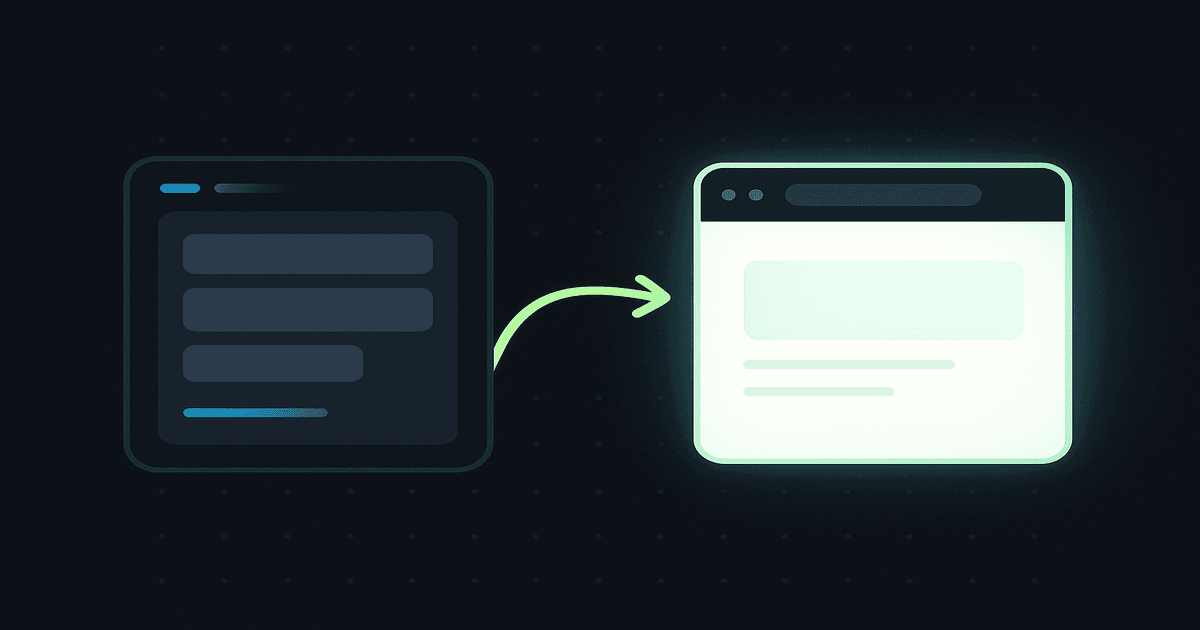
So we split the world in two: Document Reports and HTML Pages. They are now genuinely different artifact classes — different storage, different editor, different sharing model, different role in the workflow.
The two classes, side by side
Document Report — the .pptx analog
Lives inside the Campaign IDE editor. TipTap nodes, Yjs collaboration, structured sections, comments, version history, inline ad agent help. This is where you draft, debate, annotate, and present.
- Best for: weekly performance reviews, account audits, strategy memos, client deliverables
- Editing: structured blocks (headings, charts, callouts, recommendations)
- Sharing: invite collaborators into the workspace
- Export: PDF and DOCX
HTML Page — the folio analog
A standalone HTML artifact served from a public URL. Sanitize → enhance → pixel-inject → CSP pipeline. Custom domain support. First-party analytics beacon. This is what you send paid traffic to, what you ship to a prospect, what you cite from email.
- Best for: landing pages, AI-generated client reports, public audits, lead magnets
- Editing: visual, click-to-edit at the element level
- Sharing: a URL —
syntermedia.ai/lp/...,syntermedia.ai/report/..., or your own domain - Export: it's already on the web
The piece that was missing: Lovable-style editing
The HTML class had a real problem. Generating a landing page or an AI report was easy — give the agent a prompt, get a draft in seconds. But the moment you wanted to tweak something, you were stuck. Re-run the whole prompt and hope the bits you liked survived. Or open the raw HTML in a text editor and edit by hand.
That's not how this should feel. The right reference is Lovable: click the thing you want to change, describe the change, accept the diff. HTML artifacts in Synter now work that way.
How the editing loop works
Step 1: Click any element
Open any landing page or HTML report in preview mode. A lightweight editor runtime is injected into the iframe (only in edit mode, only for the owner). Hover any selectable element — headline, paragraph, button, image — and it highlights. Click to select.
Step 2: Tell the agent what to change
The sidebar opens with the element you selected. Type the change in plain English: “tighten this headline,” “rewrite this paragraph to sound more skeptical,” “swap this CTA to ‘Get your free audit’.” The agent rewrites just that element, in place, using your brand voice and the page's existing tone.
Step 3: Accept the diff
You get a side-by-side preview. The rest of the page stays untouched — same fonts, same pixels, same CSP nonces. Accept and it's persisted. Reject and nothing changes. Iterate until it's right, then publish.
What we had to fix to make this safe
Edit-anything-by-clicking sounds simple. It is not. A few things had to be true before we could ship it:
- Stable selectors. The runtime that runs inside the iframe needs to point at elements by a stable attribute, and that attribute has to actually exist in the HTML stored in the database. We stamp
data-synter-edit-idinto every selectable tag on the server, before sanitize, before pixel injection, before the iframe ever sees it. - Unique selectors, always. Restamping after an agent edit cannot mint a duplicate ID. We pre-scan the HTML and allocate the next unused counter, so two elements can never share the same
data-synter-edit-id. - Server-side splicing that survives nesting. Element edits ship today, but we also laid the plumbing for larger-scope edits. When Synter rewrites a
<section>in Phase 2, the server has to extract exactly that section from the page, even when there are nested sections inside it. The extractor counts opening and closing tags by depth rather than greedy regex matching. - Tenancy. The selection-edit API resolves the artifact against its actual owner and workspace, not the caller's default organization. Org members can't reach into another workspace's pages.
- Iframe sandbox. The preview iframe uses an explicit sandbox. The parent only accepts
postMessageevents from the iframe it owns, with the origin and source both verified. No cross-origin selection spoofing.
The full pipeline still flows sanitize → enhance → pixel-inject → CSP, exactly like normal landing pages. The editor runtime is purely additive and only runs when the owner is in edit mode.
The same surface powers landing pages and reports
The substrate is unified. Both /lp/{slug} (landing pages) and /report/{slug} (HTML reports) share the same serving pipeline, the same editor runtime, and the same agent edit loop. New artifact kinds — pricing pages, microsite case studies, investor updates — can be added without rebuilding any of this.
The Document Report lane stays where it is: the TipTap editor in the Campaign IDE. Inside the HTML lane, Synter now distinguishes between landing pages and report pages with different artifact_kind values (LANDING_PAGE and REPORT_PAGE), so the two surfaces can evolve independently while sharing all the plumbing.
When to use which
The quick rule: if it stays inside the IDE and needs review or export, choose a Document Report. If it needs a URL, choose an HTML Page. Inside HTML Pages, use /lp for conversion pages and /report for polished shareable reports.
Use a Document Report when...
- You need comments and review cycles before anything ships
- You're going to export to PDF or Google Docs
- The audience is internal — your team, a client's in-house team
- The artifact is structured data — sections, charts, callouts
Use an HTML Page when...
- The artifact has a URL and you'll share that URL
- Paid traffic will land on it
- You want a custom domain (
go.acme.com,report.acme.com) - You need pixel tracking, conversion firing, first-party analytics
- The visuals matter as much as the words
What ships next
Phase 1 (today): element-scoped edits on HTML artifacts. Phase 2 adds section and page-level edits — “rewrite the entire pricing section to lead with the Growth plan,” “make the whole page more skeptical.” Same edit loop, larger blast radius, same diff-accept flow.
AI report generation will move onto the HTML Page substrate at the same time, so the audit report Synter writes for you ends up as an editable, shareable, URL-native artifact instead of a one-shot export.
Try it
Open any landing page or HTML report in the Campaign IDE, click “Preview,” and start clicking elements. The sidebar will guide you through the rest.
no-card Free plan. See how Synter audits your account and turns the findings into a report you can share.