The Problem
A SaaS founder came to us last week with a familiar problem: 34 campaigns running across Google and Meta, $1,263 in monthly spend, zero conversions showing in their dashboards. People were signing up. They just could not prove which ads drove them.
Campaigns Running
Monthly Spend
Conversions Tracked
Google Ads kept saying the tag was missing. They had GTM installed. They had the Meta Pixel firing. But conversions? Zero.
We see this constantly. Client-side tracking breaks. Ad blockers kill it. Safari ITP expires cookies after 7 days. Users convert on different devices. By the time someone signs up, the attribution chain is broken.
The fix: server-side tracking. Send conversions directly from the backend to Google Ads and Meta. No JavaScript. No browser. No blockers.
What We Implemented
In one session, we set up:
- Middleware attribution capture - Store gclid/fbclid in cookies on landing
- Server-side signup tracking - Send conversions when users register
- Stripe revenue tracking - Send purchase events with actual dollar values
The result: full funnel attribution. Ad click to signup to purchase. All server-side. All with revenue values for ROAS calculation.
Phase 1: Capture Attribution on Landing
When someone clicks a Google ad, they land with ?gclid=xyz in the URL. That gclid is gold. It ties the conversion back to the exact click.
Problem: by the time they sign up, the URL has changed. The gclid is gone.
Solution: Next.js middleware. Capture it on landing. Store it in a cookie.
// apps/web/middleware.ts
function sanitizeClickId(value: string | null): string | null {
  if (!value) return null;
  const trimmed = value.trim();
  if (trimmed.length === 0 || trimmed.length > 200) return null;
  if (!/^[A-Za-z0-9._-]+$/.test(trimmed)) return null;
  return trimmed;
}

export default auth((req) => {
  const { searchParams } = req.nextUrl;
  const response = NextResponse.next();

  const gclid = sanitizeClickId(searchParams.get("gclid"));
  if (gclid) {
    response.cookies.set("gclid", gclid, {
      httpOnly: true,
      secure: true,
      maxAge: 90 * 24 * 60 * 60, // 90 days
    });
  }

  // Same for fbclid -> _fbc cookie for Meta
  // ...
});
We sanitize the click ID to prevent cookie bloat attacks. Max 200 chars, alphanumeric only.
Phase 2: Track Signups Server-Side
When a user signs up, we read the cookies and send conversions to both platforms.
// apps/web/src/app/api/auth/signup/route.ts
import { trackSignupConversion } from "@/lib/conversion-tracking";

// After user creation succeeds:
const gclid = request.cookies.get("gclid")?.value;
const fbc = request.cookies.get("_fbc")?.value;
const fbp = request.cookies.get("_fbp")?.value;

trackSignupConversion({
  userId: user.id,
  email,
  gclid,
  fbc,
  fbp,
  clientIp,
  userAgent,
}).catch((err) => console.error("Conversion tracking failed:", err));
Fire-and-forget. The signup completes regardless of whether tracking succeeds. We log failures but never block the user.
Phase 3: Track Revenue from Stripe
Signups are nice. Revenue is better. When someone buys credits or subscribes, we send the actual dollar value.
// apps/web/src/app/api/stripe/webhook/route.ts
await trackConversion({
  action: "purchase",
  userId,
  email: user?.email,
  value: amountPaid,  // Actual revenue: $49, $99, etc.
  currency: "USD",
  gclid: metadata.gclid,  // Passed through Stripe metadata
  eventId: `stripe:purchase:${session.id}`,  // Idempotent
  orderId: session.id,
});
The trick: pass attribution data through Stripe checkout metadata. When the webhook fires, we have the gclid available.
// When creating Stripe checkout session
const session = await stripe.checkout.sessions.create({
  // ...
  metadata: {
    userId: user.id.toString(),
    gclid: req.cookies.get("gclid")?.value || "",
    fbc: req.cookies.get("_fbc")?.value || "",
    fbp: req.cookies.get("_fbp")?.value || "",
  },
});
Idempotency
Stripe webhooks are at-least-once delivery. They can retry. We cannot send duplicate conversions.
Solution: deterministic event IDs derived from Stripe identifiers.
// Stable IDs prevent duplicates on webhook retries
eventId: `stripe:subscribe:${session.id}`,
orderId: session.id,
Google Ads deduplicates on orderId. Meta deduplicates on event_id. Same session ID means same conversion. Retry all you want.
The Architecture
User clicks ad (gclid in URL)
    ↓
Middleware captures gclid → cookie
    ↓
User browses, cookie persists (90 days)
    ↓
User signs up
    ↓
Backend reads cookie, sends to:
  → Meta CAPI (CompleteRegistration)
  → Google Ads (offline click conversion)
    ↓
User purchases via Stripe
    ↓
Webhook fires, sends to:
  → Meta CAPI (Purchase, $value)
  → Google Ads (purchase conversion, $value)
    ↓
Google/Meta have full funnel with revenue
What We Learned
GTM is Not Enough
Having Google Tag Manager installed does not mean tracking is working. This client had GTM. They had unpublished changes sitting in the workspace. They had no Conversion Linker tag. The pixels were there but nothing was firing.
Server-Side is More Reliable
Client-side tracking fails silently. Ad blockers, Safari ITP, cross-device journeys. Server-side just works. The user cannot block a POST request from your backend.
Pass Attribution Through Payment Flows
Stripe metadata is your friend. Store the gclid when creating checkout. Retrieve it in the webhook. Works for any payment provider.
The Results
Before: 34 campaigns, $1,263 spend, 0 conversions tracked.
After: Full funnel visibility. Signups attributed. Revenue attributed. Actual ROAS calculation possible. They could finally see which campaigns drove paying customers.
Time to implement: One session. About 700 lines of code across middleware, conversion tracking service, and webhook updates.
We Can Do This For You
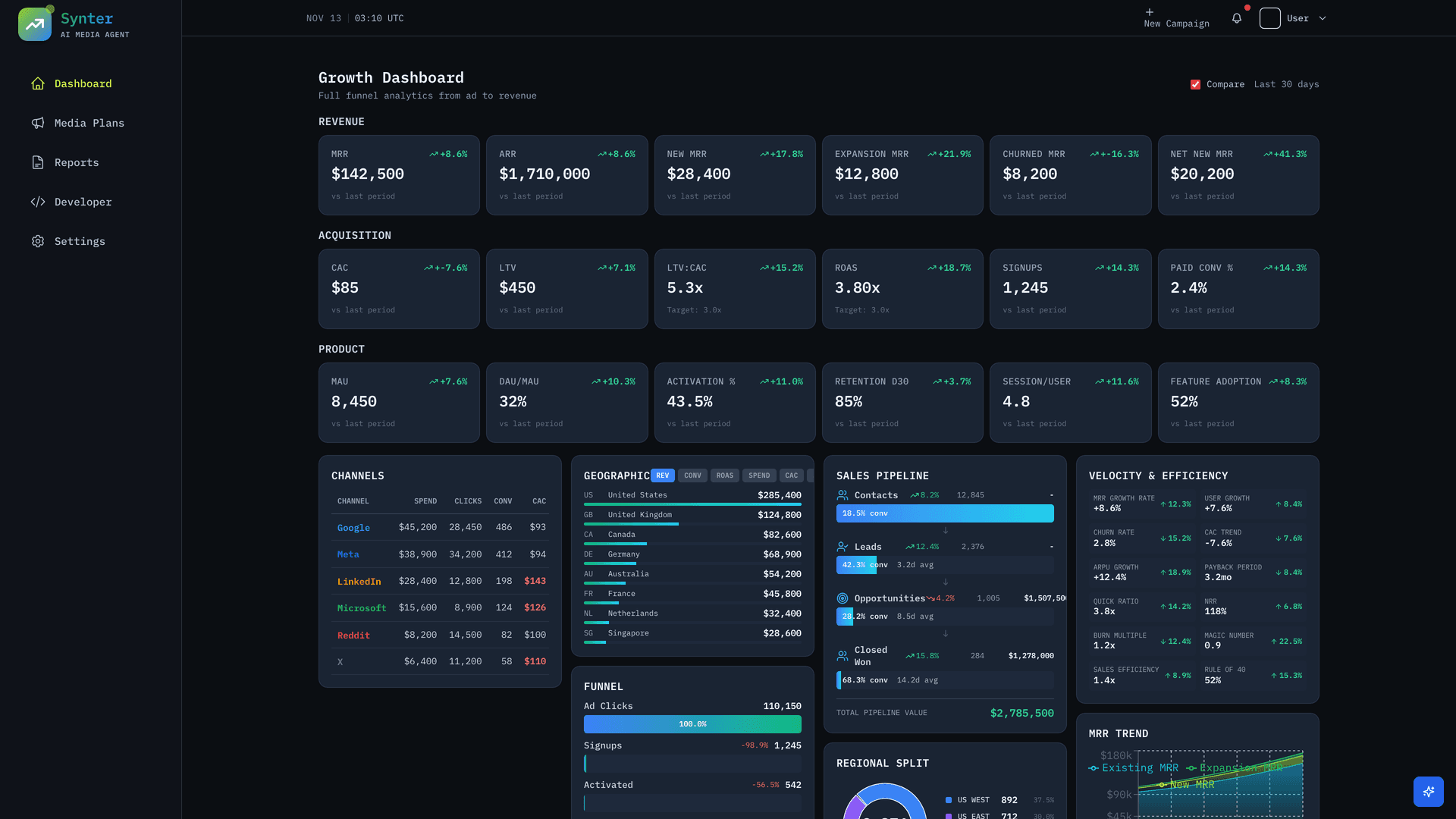
Synter's Campaign IDE now verifies tracking before you launch campaigns. It checks:
- Is gtag.js or GTM installed on your site?
- Are there unpublished GTM changes?
- Do conversion actions exist in Google Ads?
- Is the Conversion Linker tag present?
No more zero-conversion campaigns. No more wasted ad spend.
Sign up for Synter and we will audit your tracking setup.